Help home Recording a walk
Recording a walk
You do not have to record walks. Your steps count anyway. Record a walk when you want a timer, a map, and a note about how you felt.
How do I record a walk?
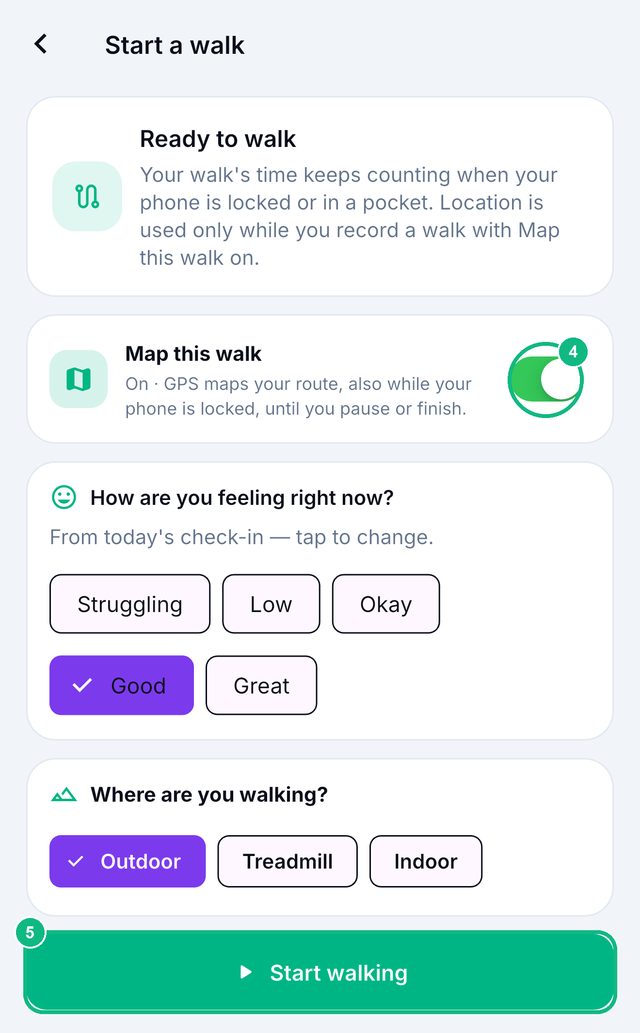
- Go to Today and tap Start a walk.
- Answer How are you feeling right now? if you like. It is optional.
- Under Where are you walking? choose Outdoor, Treadmill or Indoor.
- Leave Map this walk on for a map of your route, or turn it off if you do not want GPS.
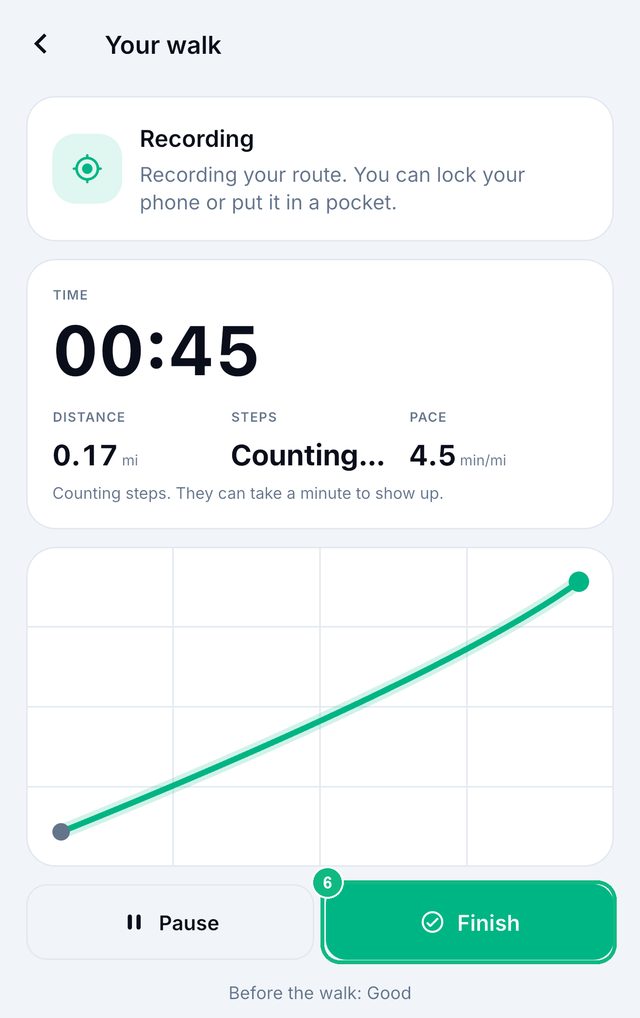
- Tap Start walking. Then walk! You can lock your phone or put it in your pocket.
- When you are done, tap Finish.
Watch: Record a walk
Captions are on screen. Voiceover created with AI. It shows the iPhone and Android steps.
How do I pause my walk?
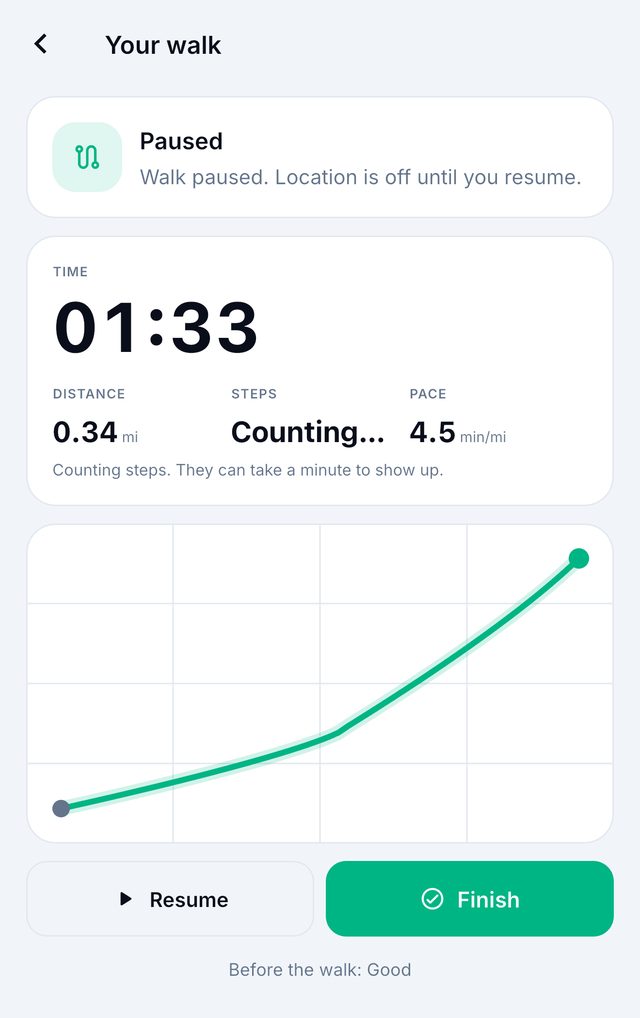
Tap Pause. The timer stops. Tap Resume to keep going.
Will my walk keep recording if I lock my phone?
Yes. You can lock your phone or put it in your pocket.
On iPhone
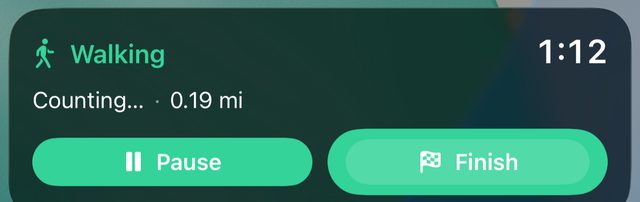
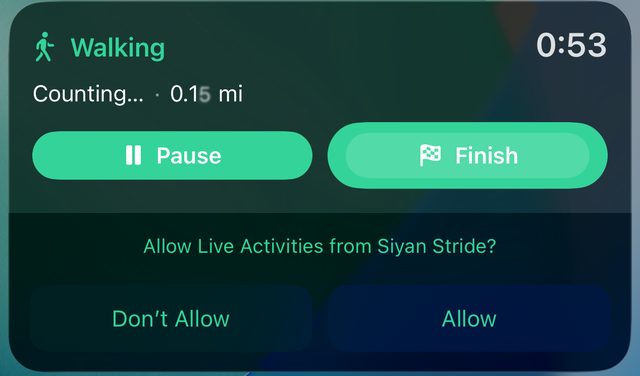
On iPhone, your walk shows on the Lock Screen with the time and distance. You can tap Pause or Finish right there. The first time, iPhone asks Allow Live Activities from Siyan Stride? Tap Allow.
On Android
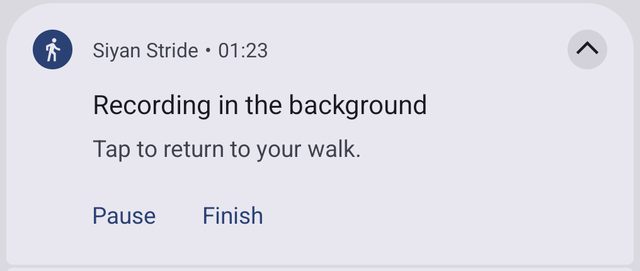
On Android, you see a Siyan Stride notification: Recording in the background. Pull down from the top of the screen to see it. Tap Pause or Finish there, or tap the notification to go back to your walk. Keep this notification on: it keeps the walk running.
What happens when I finish?
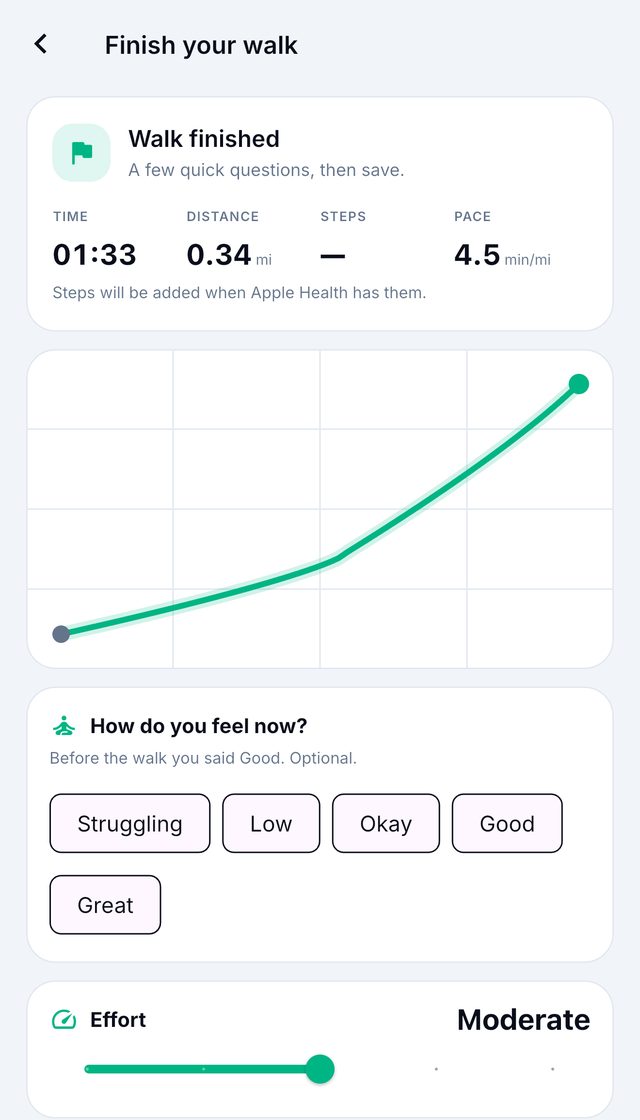
You see a short summary: time, distance and pace, and a map if you mapped the walk. You can add a few things. All of them are optional:
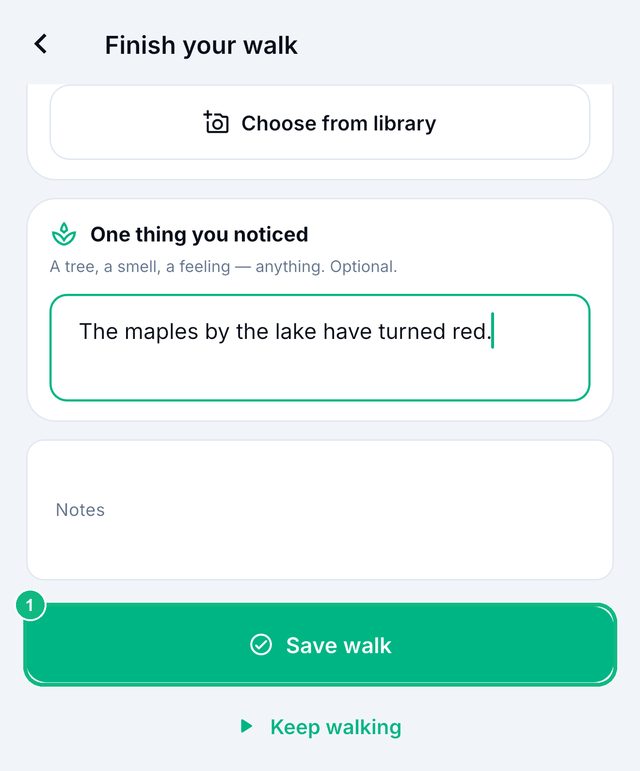
- Tap Save walk. Or tap Keep walking if you are not done.
- How do you feel now? Pick a word.
- Effort: how hard the walk felt.
- Attach a photo: choose one from your library.
- One thing you noticed: a tree, a smell, a feeling.
- Notes: anything else.
Good to know: The first time you save a walk, your phone asks if Siyan Stride may save walks to Apple Health or Health Connect. See saving walks.
Why do my steps say “Counting…”?
The first steps of a walk can take a minute to appear. Keep walking. If it stays on Counting…, the app may not have permission to see your movement:
On iPhone
- Open the iPhone Settings app › Privacy & Security › Motion & Fitness.
- Turn on Siyan Stride.
On Android
- Open your phone’s Settings app › Apps › Siyan Stride › Permissions.
- Allow Physical activity.
Where do I see my past walks?
Go to the Progress tab and scroll down to Recorded walks. Tap a walk to see it.
Does the app track my location?
Only if you turn on Map this walk, and only while you record a walk. When the walk ends, location stops. You can change this any time in Settings › Privacy › Map walk routes.