Help home Steps, Apple Health and Health Connect
Steps, Apple Health and Health Connect
Siyan Stride gets your steps from your phone’s health app. This page explains how that works, how to keep steps updating, and what to do if steps are missing.
Where do my steps come from?
Your phone counts your steps all day, even when Siyan Stride is closed. It saves them in a health app: Apple Health on iPhone, Health Connect on Android. Siyan Stride reads them from there.
A watch that saves steps to the same health app counts too.
How do I check that my steps are connected?
- Tap your round picture at the top right, then the gear for Settings.
- Tap Health data.
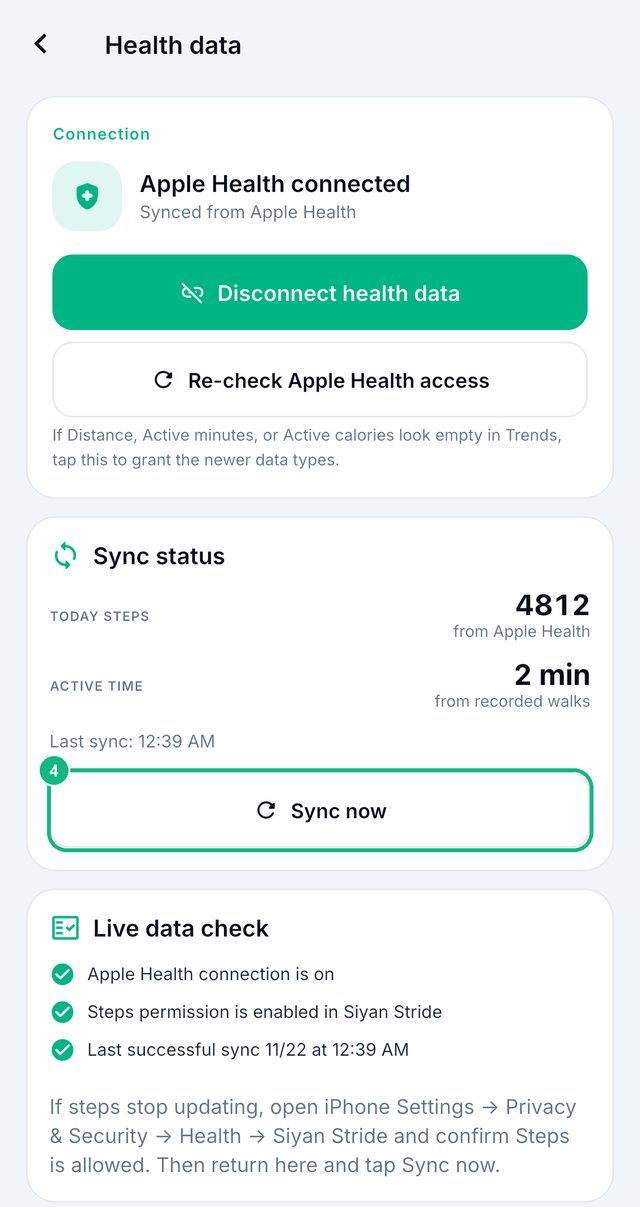
- Look at Sync status. It shows today’s steps and when they last synced.
- Tap Sync now to try again.
On iPhone
On iPhone, Live data check shows green ticks when Apple Health is connected and Steps are allowed. If steps stop updating, open the iPhone Settings app › Privacy & Security › Health › Siyan Stride, check that Steps is on, then come back and tap Sync now.
On Android
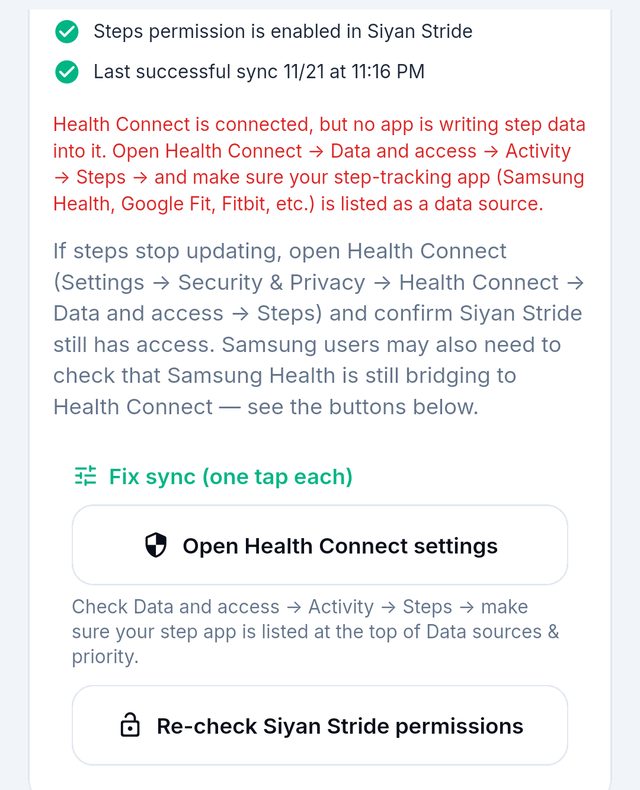
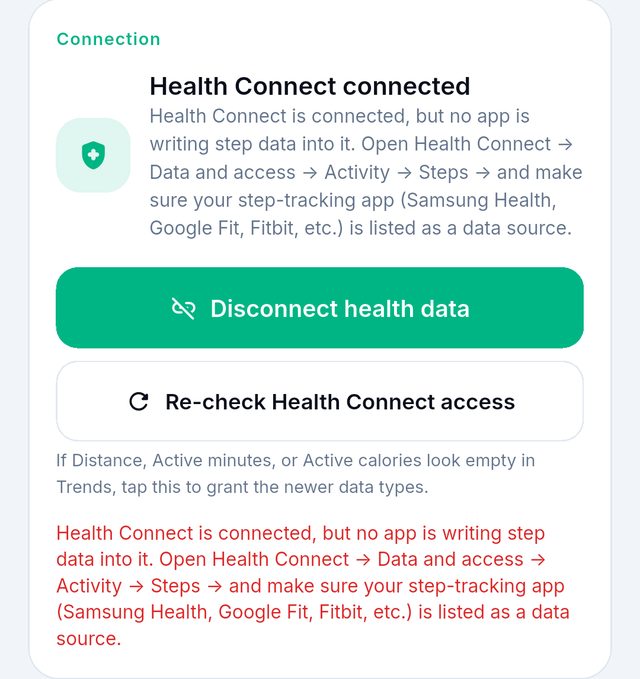
On Android, Fix sync (one tap each) has buttons to open Health Connect and to re-check permissions.
How do I keep my steps updating when the app is closed?
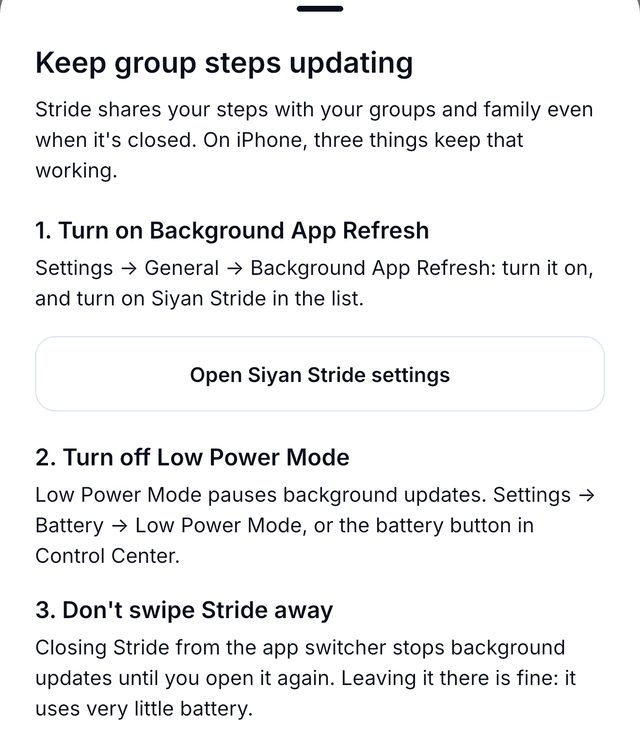
Siyan Stride shares your steps with your groups and family through the day, even when it is closed. A few phone settings make sure that works. In the app, go to Settings and tap Keep group steps updating to see the steps for your phone.
On iPhone
- Turn on Background App Refresh. iPhone Settings › General › Background App Refresh: turn it on, and turn on Siyan Stride in the list.
- Turn off Low Power Mode. It pauses background updates. iPhone Settings › Battery › Low Power Mode.
- Don’t swipe Stride away. Closing it from the app switcher stops background updates until you open it again. Leaving it there is fine: it uses very little battery.
On Android
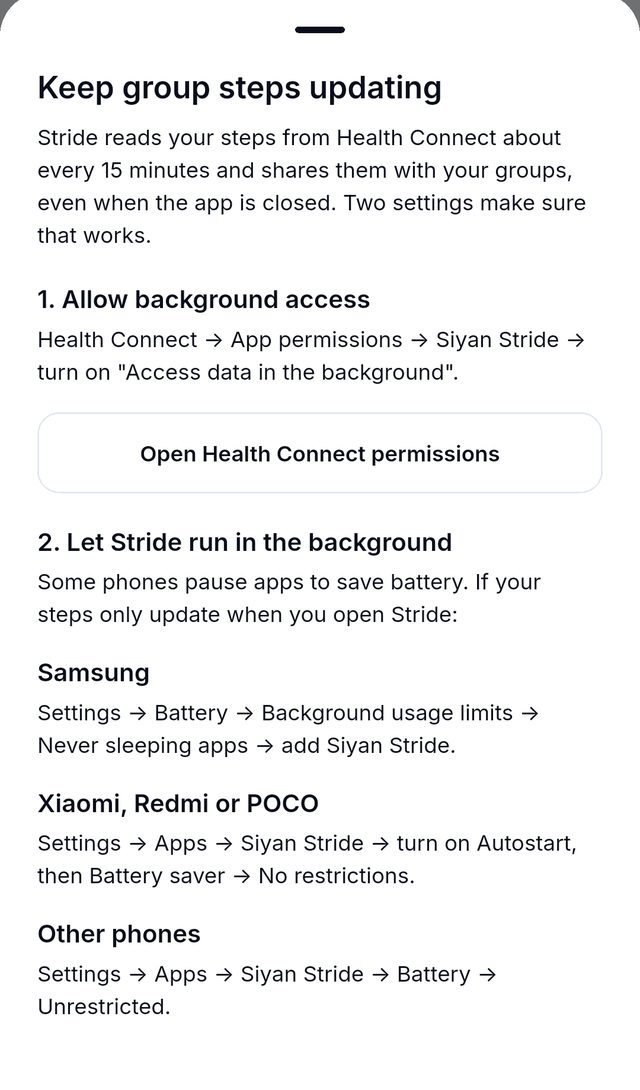
- Allow background access. Health Connect › App permissions › Siyan Stride › turn on Access data in the background. In the app, the button Open Health Connect permissions takes you there.
- Let Stride run in the background. Some phones pause apps to save battery.
- Samsung: Settings › Battery › Background usage limits › Never sleeping apps › add Siyan Stride.
- Xiaomi, Redmi or POCO: Settings › Apps › Siyan Stride › turn on Autostart, then Battery saver › No restrictions.
- Other phones: Settings › Apps › Siyan Stride › Battery › Unrestricted.
Good to know: On iPhone, the app also shows a Background updates are off warning when one of these settings is off. This warning is new in iPhone version 2.0.16.
Watch: Keep your steps updating
Captions are on screen. Voiceover created with AI. It shows the iPhone and Android steps.
I have a Samsung phone and my steps show 0. How do I fix it?
Samsung phones count steps in Samsung Health. Samsung Health has to share them with Health Connect first. Then Siyan Stride can read them.
- Open the Samsung Health app. Tap the menu, then Settings.
- Find Health Connect and turn on sharing for Steps.
- Open Health Connect › Data and access › Activity › Steps, and check that Samsung Health is listed as a data source.
- Open Siyan Stride. On Today, pull down with your finger to refresh.
How often do my steps update?
Your steps update when you open the app and when you come back to it. With background updates on, they also update through the day while the app is closed.
To update right now, go to Today and pull down with your finger. Let go and wait a moment.
Does Siyan Stride save my walks to Apple Health or Health Connect?
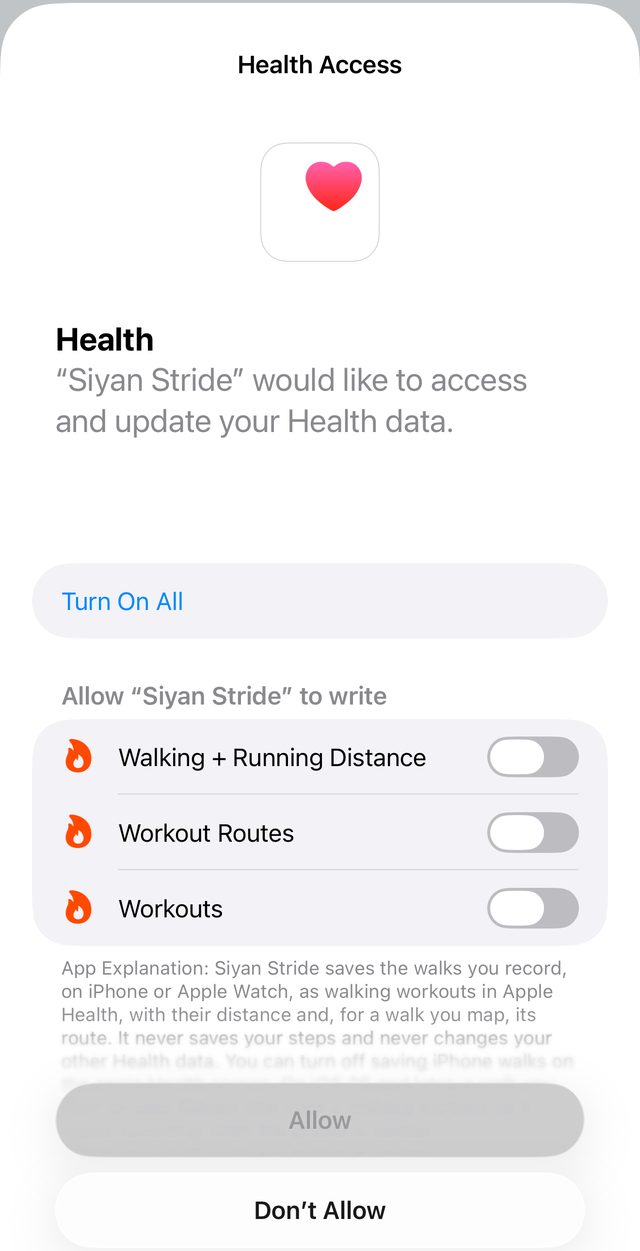
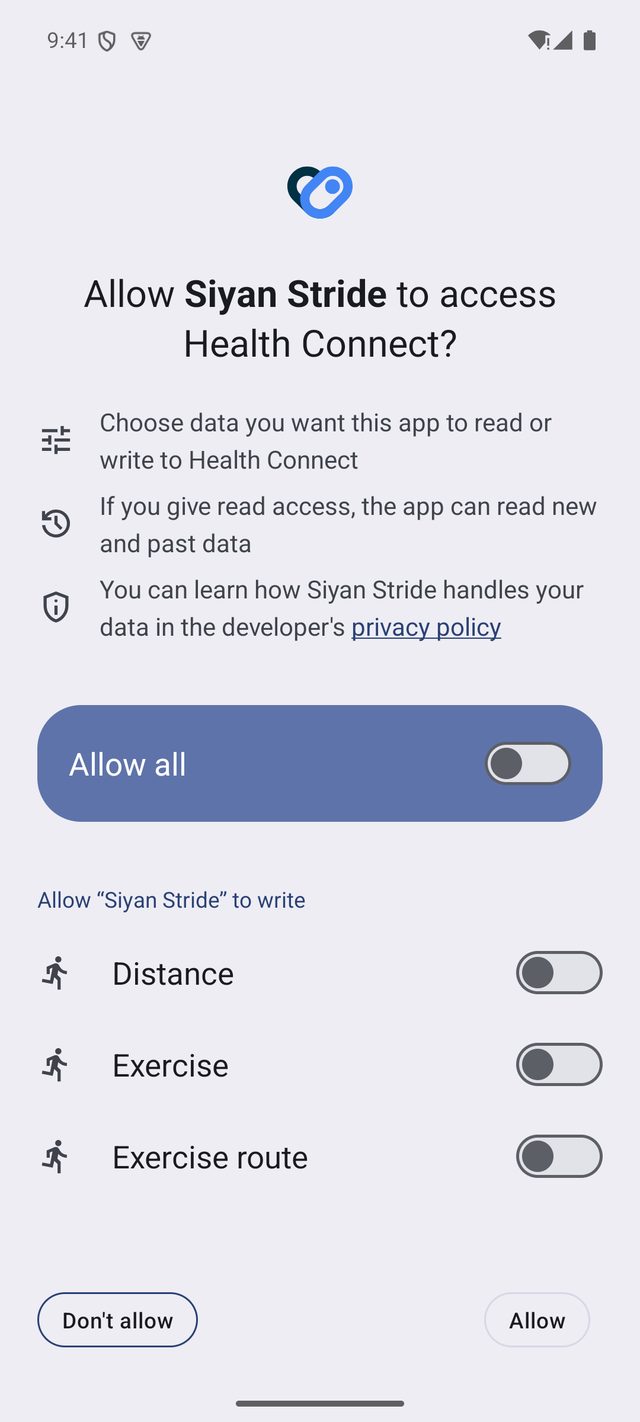
Yes, if you allow it. Walks you record are saved as walking workouts, with their distance and, for a mapped walk, the route. Your steps are never written, because your phone already counts those.
The first time you save a walk, your phone asks for permission. To stop, go to Settings › Health data and turn off Save walks to Apple Health (iPhone) or Save walks to Health Connect (Android).
On iPhone
On Android
Do the walks I record add extra steps?
No. Your phone already counts those steps. If the app added them again, you would count the same steps twice. Your daily total always comes from Apple Health or Health Connect. A recorded walk saves extra details, like time, map and how you felt.
Can I type in steps by hand?
No. The app only uses steps that your phone or watch counted. This keeps everyone’s numbers fair, for example in groups.
What is “sample data”?
If the app cannot read your steps yet, some screens show sample numbers so you can see how it works. They are marked Sample data. Connect Apple Health or Health Connect, and your real steps replace them.